Recognize interest
Count valid visits per browser and product without using the IP address as an identifier.

WooCommerce discount popup plugin
OfferNudge turns repeat product visits into personalized discount popups. Give interested shoppers a single-use WooCommerce coupon, with online checkout or a conversation on WhatsApp.
WordPress 6.4+ · WooCommerce 8.0+ · PHP 8.0+
Complete your purchase today with a personalized discount.
Code OFFER10How it works
Set your rules once. OfferNudge recognizes intent, creates the incentive and measures the journey.
Count valid visits per browser and product without using the IP address as an identifier.
Apply product or category rules and generate a WooCommerce coupon limited to the intended product.
Customers can copy the code, buy online with the coupon applied, or continue through WhatsApp.
One focused plugin
Create single-use percentage discounts for one unit of the correct product.
Give shoppers two clear conversion paths without forcing them into one channel.
Set store-wide, category, or product discounts and exclude items whenever needed.
Review shown offers, attributed orders, order value and discounts, kept separate by currency.
Customize copy, colors, image and the floating reminder with a live preview.
Tracking uses a protected first-party identifier and does not depend on a visitor IP address.
FROM PRODUCT TO CONVERSATION
Turn product interest into a specific enquiry. The offer button opens WhatsApp with a prepared message that can include the product, price, discount, code and link. Configure your number and message template inside WordPress.
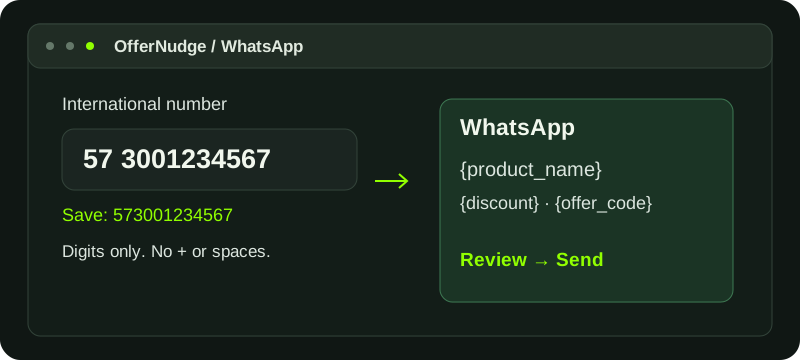
The customer reviews and sends the message. Online checkout with the coupon remains available in the same offer.
How to configure WhatsApp offersConsent-based trial
Installing or activating the ZIP does not start the trial or send information to OfferNudge.com. On the License screen, you can review the technical data used to register the installation and explicitly authorize the connection.
Guided installation
Save the file and do not unzip it.
Go to Plugins → Add Plugin → Upload Plugin.
Open OfferNudge → License, read the notice and provide consent.
Set rules, WhatsApp and design, then verify the journey on a test product.
After the trial
One-site license, private updates and continuity for your existing offers and Analytics.
Frequently asked questions
Yes. Set the number of valid visits to the same product and the interval between them. OfferNudge displays the offer when those rules are met. Returning means repeat visits from a browser; a previous order is not required.
OfferNudge creates a real percentage-discount coupon restricted to the intended product and one unit. The shopper can copy the code or use the online purchase button to apply it. You control product and category rules and exclusions.
When you accept the notice under OfferNudge → License and the server successfully registers the installation. Downloading, installing or activating the plugin does not use trial days.
No. The 30-day trial does not request a payment method and does not automatically become a purchase.
Offers, visit counting and promotional messages pause. Settings, rules, promotions and Analytics remain available in read-only mode.
Yes. Automatic checkout works with simple and variable products; a variable product requires the customer to select a valid variation.
Customers, orders, store content, statistics and visitor identifiers are not sent. The license connection uses only the technical data disclosed in the consent notice.
Yes. OfferNudge includes English, Spanish and an automatic mode that follows the site language when it is Spanish.
Your next sale may be on the third visit.